







We’re all video creators now, whether for e-commerce or content creation; visibility is the goal. The declining attention span makes speed and quality crucial in stopping the scroll. Vmake.ai, an AI video editing toolkit, is making quality video creation simpler, affordable, and easy.
In this VMake review, we examine some of its standout tools and what makes them unique.
What is Vmake?
It’s an online platform custom-built for video creators to edit footage using AI. On Vmake, users can enhance their footage, remove watermarks from videos, and even generate captions for their videos, regardless of their editing skills.
Vmake prioritizes simplicity and speed over complex workflow, as you will find out soon enough.
Vmake Video Enhancer
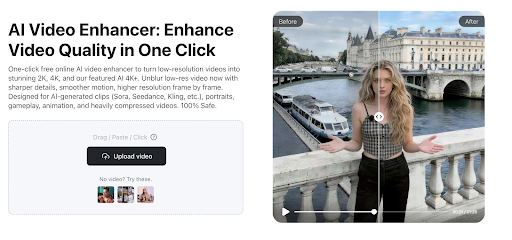
All video clips aren’t perfect. Sometimes, the clip’s resolution is poor or a blurry visual affects its appearance. This Vmake tool resolves these issues, transforming such clips into engagement-worthy footage.
How Vmake Video Enhancer Works
Access to the online video enhancer through the Vmake tool list reveals something: no intimidating user interface to contend with. Instead, you get a simple dashboard that requires you to upload a video and select your target resolution. This simplicity makes it perfect for the modern creator.
The simplicity of the Vmake Video Enhancer doesn’t affect its output. Upscaled videos look great. There are no blurs, grain, or artifacts in the enhanced video. It smoothes edges, making the visuals realistic.
For creators, the video enhancer’s batch uploads help in managing a hectic workload. You can stay consistent in posting video content, as the AI tool handles multiple uploads simultaneously.
Apart from its simple user interface, Vmake Video Enhancer works from a browser. You don’t need a strong GPU computer to edit videos with the AI tool. It’s convenient for anyone, regardless of PC type.
Creators can use the Vmake Video Enhancer freely on short clips. However, editing longer videos requires a subscription. Luckily, the subscription is affordable compared to the exorbitant fees of traditional video editors.
Vmake Video Enhancer lets you see the result before you download. You can edit after seeing the preview of the edited video, or download it.
One issue peculiar to most AI video editors is the processing time. With short clips, it’s negligible. It becomes conspicuous with longer clips. If your internet connection isn’t great, the processing time is impacted. Vmake Video Enhancer uses cloud processing to enhance footage. It’s that reliance on cloud processing that affects its editing time.
Why Use Vmake Video Enhancer?
- AI Capability
The AI tool combines advanced machine learning techniques with cloud processing, leading to an effortless boost in footage quality.
- Less fiddling, more quality
Resolution, color, brightness, and contrast improve despite the limited options.
- Fewer worries about flaws
The video enhancer removes blur, noise, and other distortions. Enhanced footage looks great.
Vmake Video Watermark Remover
Often, you need to repurpose a video. This means the watermarks on the footage have to go. Vmake Video Watermark Remover helps in removing these marks without damaging the video. It’s another AI tool in Vmake’s arsenal. It removes logos and different watermarks from videos.
How Vmake Video Watermark Remover Works
Like the video enhancer, the watermark remover has a simple interface. It follows the Vmake simple-styled approach of watermarked video upload, apply changes, and download the result.
Relying on Vmake AI to remove watermarks from video has its perks. Users do little throughout the process. The AI tool handles the watermark removal, yielding impressive outcomes. Most marks are erased smartly, leaving no traces behind.
Why Use Vmake Video Watermark Remover?
- Efficient AI Technology Deployed
Behind the curtains, the video watermark remover uses machine learning techniques to analyse the watermarked footage, erasing the marks so only the content stays.
- Time saving
It’s faster at removing watermarks compared to a human editor. Vmake AI cuts the time spent on such tasks. Creators can channel their time to more creative endeavors.
Vmake Auto Caption Generator
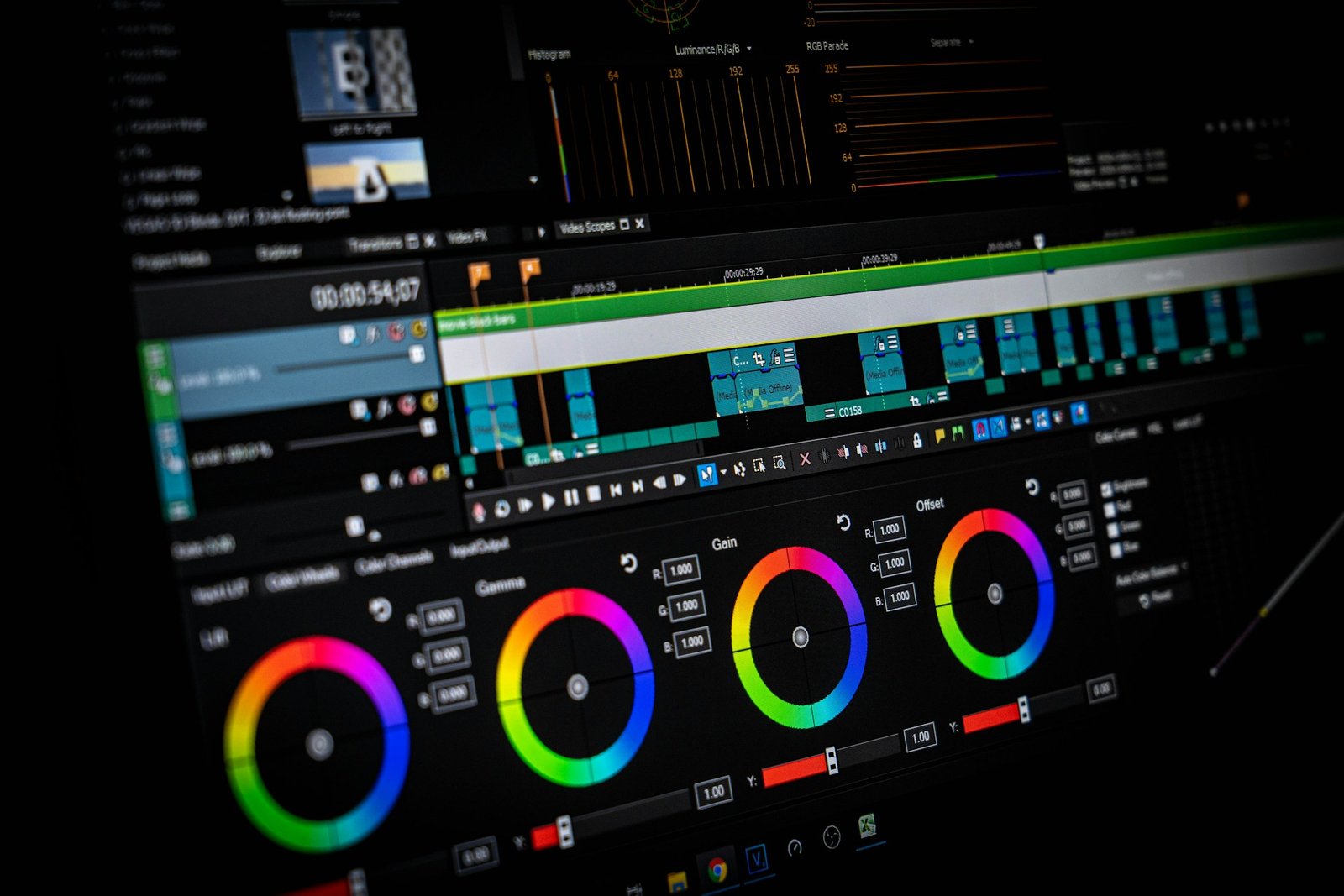
More users watch video content without sound. Captions are vital to reach such audiences. This AI tool generates subtitles for your videos. Using a specialized speech-to-text system, the Vmake tool provides a caption for your submitted footage. Multiple fonts are supported for the subtitles generated.
How Vmake Auto Caption Generator Works
It identifies the words in your uploaded video using an advanced speech-to-text technology. The AI tool matches the generated caption with the clip’s audio. Having more languages in a caption generator caters to more countries. This Vmake AI tool supports more than 100 languages. You are bound to reach more audiences with that number.
Captions are not final with the subtitle generator. Poorly scripted lines in the subtitle can be edited. If the video’s sound quality isn’t great, use the ‘Denoise’ button in the Settings section.
The caption generator lets you choose a font for the generated subtitles. It supports editing the font type so that its size and color match your preference. Modified font styles are stored as a template, allowing for future use. The tool supports exporting captioned videos in aspect ratios that fit a specific platform, with the option of an enhanced resolution. You can also export only the subtitle file (srt). Many of the auto caption features are available for free, though a few require a subscription.
Why Use Vmake Auto Caption Generator?
- Industry-level technology
It uses advanced proprietary speech-to-text technology, resulting in a near-perfect caption experience.
- Massive haul of supported languages
With 100+ languages, your audience reach gets expanded. You can target audiences in multiple countries.
Editing capabilities are profound. Users can improve the quality of their video content.
Final Thoughts
The immense value these AI tools offer makes AI video toolkits like Vmake a favorite among creators. Its tools are a must-use for anyone serious about creating videos.
The Vmake trio of video enhancer, watermark remover, and auto-caption generator is time-saving and efficient.