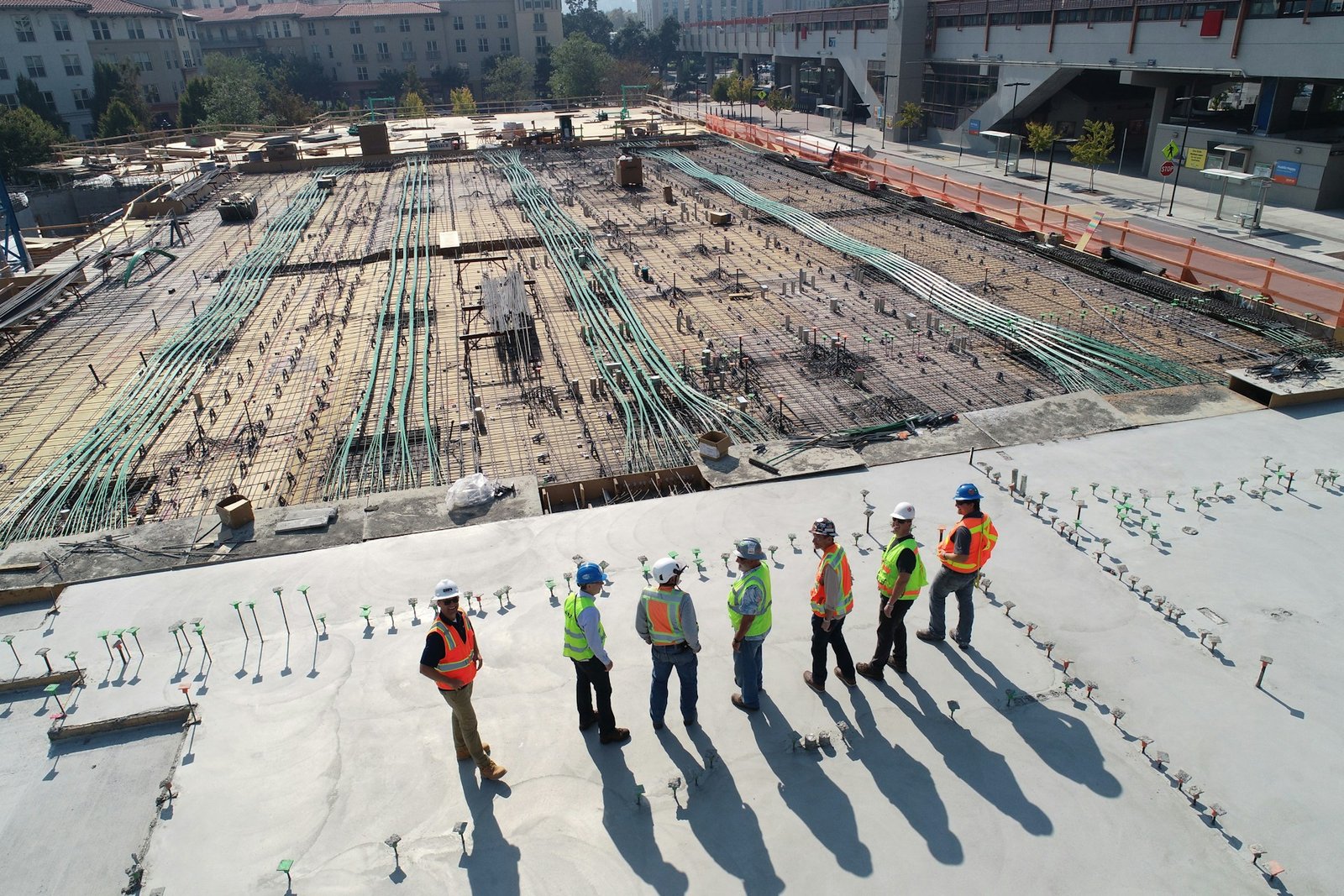







Most construction projects don’t fall apart because of bad materials. They fall apart because the schedule was never realistic to begin with. Construction Scheduling Tools exist to fix exactly that problem, but with so many options out there, picking the wrong one can make things worse. Managing multi-trade dependencies, keeping pace with change orders, and getting field teams and office staff on the same page are genuinely hard problems. After reviewing the leading platforms across real project use cases, this guide breaks down the five tools worth your time in 2026.
How this ranking was put together
Every option here was evaluated using publicly available information, including user reviews, official product pages, case studies, and ratings from major software directories. Only platforms with a documented track record in construction management made the cut.
- Wrike – Best for enterprise project and workflow management
- Planera – Best for construction project scheduling and planning
- Procore – Best for enterprise construction management
- monday.com – Best for enterprise project and workflow management
- Autodesk Construction Cloud – Best for general contractors, specialty contractors, and construction owners seeking project management and BIM tools

Why Construction Scheduling Tools Are Worth a Closer Look
Construction projects run on time, money, and coordination. When any one of those breaks down, the other two follow fast.
The challenge isn’t just keeping a Gantt chart updated. It’s managing multi-trade dependencies across a live jobsite where a concrete pour delay ripples into steel erection, mechanical rough-in, and finish work all at once. It’s communicating those changes to subcontractors before they show up with the wrong crew.
The right construction scheduling tools help teams track float consumption on critical path activities before it disappears entirely. They close the gap between planned and actual completion percentages in real time, not after a delay has already cost money. Strong schedule performance doesn’t happen by accident. It happens when the right tool is actually being used in the field.
Comparing the 5 Best Construction Scheduling Tools
Note: All data in this table is sourced from review platforms and the official websites of the listed companies.
| Company Name | Years Operating | Team Size | Headquartered In |
| Wrike | Est. 2006 | 1,000+ | San Jose, California |
| Planera | Est. 2021 | 49 | Not disclosed |
| Procore | Est. 2002 | 4,421 | Carpinteria, California |
| monday.com | Est. 2012 | 2,508 | Tel Aviv, Israel |
| Autodesk Construction Cloud | Est. 2019 | Not disclosed | San Francisco, California |
Wrike – Best for Enterprise Project and Workflow Management
What Services Are Offered by Wrike?
Wrike is a project management platform built for teams that need serious configuration flexibility. It covers interactive Gantt charts, workload views, customizable data tables, and dependency tracking across large project sets. With over 400 integrations, including Salesforce, Slack, and Zoom, it connects into almost any existing tech stack. The platform serves over 20,000 companies worldwide (think enterprise pricing here), and its AI tools are reported to cut email volume by up to 90%. For construction teams managing cross-functional workflows at scale, Wrike brings real firepower.
Why Does Wrike Stand Out for Construction Scheduling Tools?
Cross-functional construction projects with dozens of team members often stall because no single platform can track both the schedule and the communication in one place. Wrike addresses that with a fully configurable work management layer that bends to how a project actually runs. Teams that adopt it at the enterprise level tend to stop treating scheduling and coordination as separate problems.
What Users Are Actually Saying:
Users frequently mention how much they value the Gantt chart flexibility and the ability to build custom workflows without needing a developer. The workload view gets called out as genuinely useful for spotting resource conflicts before they become delays. Wrike earned a 2024 Top Rated award from TrustRadius across 14 categories, which reflects how consistently it delivers for complex project environments.
Planera – Best for Construction Project Scheduling and Planning
What Services Are Offered by Planera?
Planera builds collaborative CPM scheduling software designed for construction teams. The platform lets contractors create resource and cost-loaded schedules using a digital whiteboard interface, which means you don’t need a dedicated scheduling expert just to build a solid CPM plan. It connects office teams and field crews in real time, and it works with Procore, Autodesk, Primavera P6, and Microsoft Project. Honestly, that combination of approachability and deep connections into other tools is harder to find than it sounds. They’ve built something genuinely useful for teams that want scheduling power without the usual overhead.
Why Does Planera Stand Out for Construction Scheduling Tools?
Teams without dedicated schedulers often lose weeks trying to build CPM schedules in tools that weren’t designed for them. Planera solves that directly with an interface anyone on the project can actually use. What the data shows is that this kind of accessibility, paired with real connections into the tools GCs already run, is what moves the needle on Schedule Performance Index week over week.
What Users Are Actually Saying:
Reviews point to the whiteboard-style interface as the thing that finally made CPM scheduling feel less like a specialist task. There’s consistent praise for how quickly teams can get a schedule up and running compared to legacy tools. That kind of speed-to-value feedback is rare in construction software, and it shows up repeatedly across customer accounts from firms like Granite and Barton Malow.
Procore – Best for Enterprise Construction Management
What Services Does Procore Offer?
Procore covers the full construction project lifecycle: preconstruction, project management, workforce management, and financial management, all on one unified platform. It’s purpose-built for owners, general contractors, and specialty contractors, with over 3 million projects running across 150+ countries and 2 million active users. The platform’s AI tools (Procore Helix, Copilot, and Agents) bring automation and insight into daily workflows. The unlimited user model is a big deal for large GC organizations (no per-seat pricing anxiety), and the unlimited storage keeps everything in one place.
Why Does Procore Stand Out for Construction Scheduling Tools?
Managing cost data, safety documentation, and schedule tracking in separate systems creates the kind of fragmentation that kills planned vs. actual completion percentages on large projects. Procore’s unified platform eliminates that fragmentation by design. Firms running Procore on large commercial builds tend to spend less time chasing information and more time acting on it.
What Users Are Actually Saying:
The feedback pattern across Procore reviews is pretty clear: users love how much is built in, and they stick with it because switching costs are real. SelectHub recognized it as best-in-class across mobile capabilities, project financials, and safety management. The common callout is that it takes time to set up properly, but teams that invest in setup consistently report strong results.
monday.com – Best for Enterprise Project and Workflow Management
What Services Are Offered by monday.com?
monday.com is a visual work OS that lets teams build fully custom project management applications without heavy coding. It covers workflow management, portfolio tracking, digital whiteboarding, CRM, and service desk management, all in a modular architecture that adapts to almost any project structure. With over 152,000 customers across 200+ industries and countries, it’s one of the most widely adopted work platforms in the world. The cool thing about monday.com is that construction teams can build scheduling views that actually match how their projects run, rather than forcing their work into a rigid template.
Why Does monday.com Stand Out for Construction Scheduling Tools?
Construction teams often struggle with scheduling platforms that can’t flex to match unique project structures or reporting requirements. monday.com’s open API and modular build let teams configure exactly what they need. That customization advantage tends to show up most clearly when projects span multiple phases with different stakeholder reporting needs.
What Users Are Actually Saying:
monday.com users consistently praise its visual clarity and how fast new team members pick it up. The platform has been a Gartner Magic Quadrant Leader for Adaptive Project Management for four consecutive years (2025 being the latest), which backs up the strong user sentiment. The most honest note you’ll hear is that deeper construction-specific workflows require more setup time, but the flexibility makes it worth it for teams willing to put in the configuration work.
Autodesk Construction Cloud – Best for Integrated Project Management and BIM Solutions
What Services Are Offered by Autodesk Construction Cloud?
Autodesk Construction Cloud connects design, planning, building, and operations into one platform built for the full construction lifecycle. It serves GCs, specialty contractors, and owners with tools for project management, cost management, safety management, and BIM, all tightly tied together. Now part of Autodesk Forma, the platform has been used across two million construction jobs globally, with nearly one million subcontractors in its ecosystem through BuildingConnected. The BIM connection is where it really separates itself (not cheap, but worth it for firms doing design-build or heavy coordination work).
Why Does Autodesk Construction Cloud Stand Out for Construction Scheduling Tools?
Clash detection and model-based coordination directly feed into schedule accuracy on complex builds. Autodesk Construction Cloud is one of the few platforms that closes the loop between BIM data and live project scheduling in a meaningful way. Firms like CCPI, achieving 97.8% on-time and on-budget delivery, aren’t getting there with disconnected tools.
What Users Are Actually Saying:
Users in the GC and design-build space consistently highlight the office-to-field collaboration features and the speed of quantity take-off as standouts. Brinkman Construction reported completing project tasks twice as fast after adopting the platform. The honest feedback from reviewers is that the platform’s depth takes time to learn, but for firms managing complex multi-trade projects at scale, that investment pays off.
Methodology Behind These Picks
Gathering Information for Your Analysis
Building the longlist started with pulling data from multiple sources at once. Construction-specific software directories, general project management review platforms, case study libraries, and official product websites were all scanned to identify platforms with real traction in the scheduling space. The goal wasn’t to capture every tool that mentions scheduling as a feature. It was to find platforms where construction scheduling sits at or near the center of what they do. Forums, community discussions, and published buyer guides also fed into the initial pool, giving a broader view of which tools practitioners actually talk about.
The Shortlist Cut
Once the longlist was assembled, the next step was filtering hard. Platforms with thin or unverifiable review histories were removed immediately. The focus shifted to analyzing patterns across multiple reviews rather than weighting individual ratings too heavily. A tool with 15 detailed, consistent reviews from construction professionals carries more signal than one with 200 generic ratings. Options that showed up repeatedly in construction-specific contexts, particularly among GCs, schedulers, and project owners, were prioritized. Anything that looked like a general productivity tool with a construction label attached got cut.
Fact-Checking the Picks
Each shortlisted platform was reviewed for consistency between what the company claims on its website and what users describe in independent reviews. Where companies cited specific results (such as on-time delivery rates or task completion speed improvements), those figures were cross-referenced against case study documentation and third-party coverage. Claims that couldn’t be traced to a verifiable source were noted and treated with appropriate skepticism. The emphasis was on finding platforms where the marketing copy and the actual experience aligned closely.
Authority Signals and Industry Standing
Beyond features and reviews, attention was paid to how each platform stands in the broader construction and project management space. Industry award recognitions, appearances in Gartner and TrustRadius rankings, and mentions in construction trade publications were all factored in. These signals don’t make or break a pick, but they add useful context. A platform recognized by Gartner or earning top ratings across multiple independent review categories has clearly built something people find worth coming back to.
Construction Scheduling Tools Track Record
The final layer of evaluation looked at how each platform handles construction scheduling as a discipline. Dedicated scheduling feature sets, verified reviews from schedulers and project managers on active construction projects, and case studies tied to real project outcomes were all reviewed. Platforms that showed up in the context of CPM scheduling, critical path management, subcontractor coordination, and multi-phase project delivery carried more weight than those with only surface-level scheduling functionality.
Picking the Right Construction Scheduling Tools for You
Every project team has different constraints, and the best construction scheduling tool for a large GC isn’t necessarily the right fit for a specialty subcontractor running three concurrent jobs. Here’s what to weigh before committing.
- Industry and Domain Experience: Look for platforms that were built with construction workflows in mind, not adapted from generic project management software. Construction-specific logic around CPM scheduling, float tracking, and trade sequencing matters.
- Features and Service Offerings: Match the feature set to your actual project scope. A digital whiteboard CPM tool works for teams without a dedicated scheduler. A full BIM-integrated platform makes more sense for design-build firms running large commercial projects.
- Pricing Structure: Per-seat pricing can get expensive fast on large project teams. Platforms with flat or unlimited user models tend to work better for GC organizations with many people touching the schedule.
- Results Measurement: Check whether the platform gives you real visibility into Schedule Performance Index, float consumption on critical path activities, and planned vs. actual completion. If you can’t measure it, you can’t manage it.
- Industry Knowledge and Compliance: Make sure the platform supports AGC, OSHA, and contract scheduling standards relevant to your project types, especially if you work in government or public works where documentation requirements run deep.
The Verdict
Construction scheduling is too difficult to manage with the wrong tool. The platforms listed here each bring something real to the table, from Planera’s approachable CPM interface to Procore’s end-to-end project management and Autodesk Construction Cloud’s BIM connection. The best fit depends on your team size, project scope, and how much setup time you can invest. As construction projects grow more complex, tools that connect scheduling, cost, and field coordination in one place will separate the teams that deliver on time from those that don’t.